

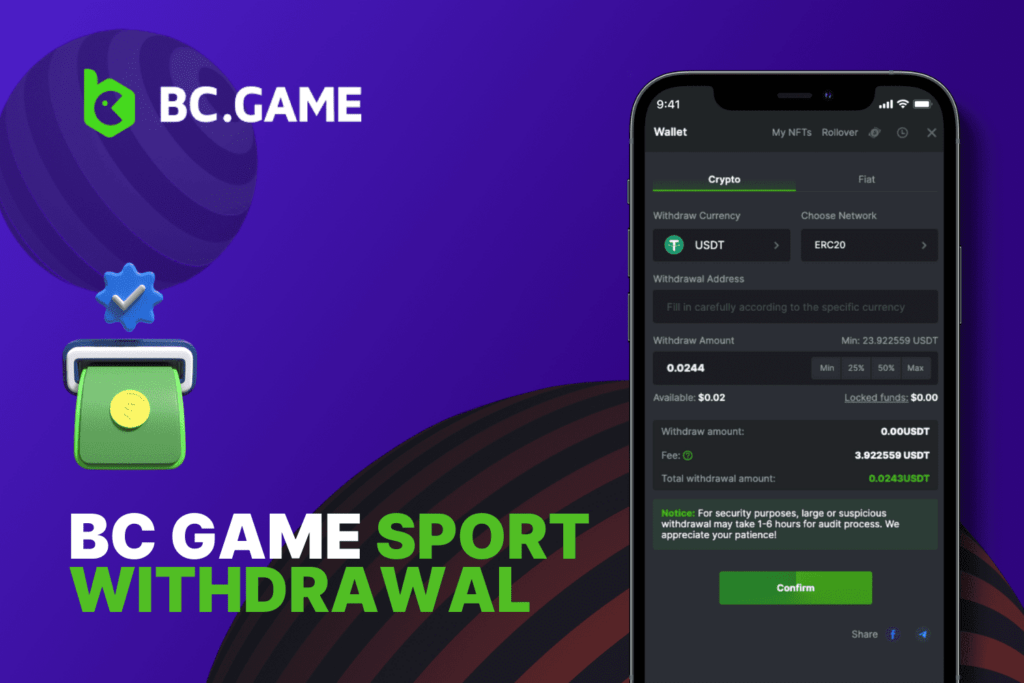
Available Withdrawal Methods on BC.Game
BC.Game supports a wide selection of cashout rails, so you can match withdrawals to your bankroll style and local availability. Methods shown in your cashier can vary by country and account status, but the core options are consistent.
- Bitcoin, Ethereum, and other popular networks
- Direct transfers to your personal wallet address
- Best fit if you prioritize speed and on chain transparency
- Common global wallets where available
- Simple cashouts without bank details, usually faster than bank rails
- Helpful when you want a familiar dashboard and history tracking
- Local bank transfer options where supported
- SEPA or SWIFT type transfers in eligible regions
- Best fit if you want funds straight to a bank account
- Visa or Mastercard where available
- Often tied to deposit method rules and local issuer policies
- Best fit if your bank card is your main spending tool
- Country specific rails in selected markets
- Convenient for local currency usage and domestic processing
When you follow how to withdraw on BC Game, the cashier will only show the methods that are currently enabled for your location, so the method list you see is the one you can actually use.

Step-by-Step Guide to Withdrawing Funds
This is the cleanest BC.Game withdrawal process for both desktop and mobile browsers. The screens may look slightly different, but the steps are the same.
Step 1: Sign In and Open the Cashier
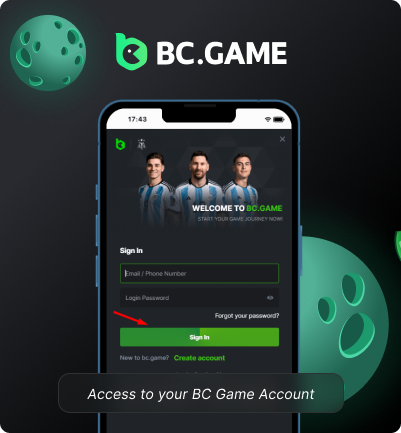
To initiate the withdrawal process, first navigate to the BC Game website on your desktop or mobile browser. On the homepage, click the “Sign In” button at the top right corner.
A login popup will appear. Enter your registered email address and account password here. Double-check credentials are correct before clicking the “Sign In” button to access your account.
This should successfully log you into your BC Game Player dashboard if the password entered is valid. Locate and click on the “Banking” or “Cashier” tab usually seen on the main horizontal menu once signed in.
Step 2: Choose Your Withdrawal Method

After accessing the Withdrawals page in your BC Game account, you will see available banking methods for withdrawing funds listed.
Methods displayed can vary depending on your location and account type.
But commonly supported options are:
- Cryptocurrency wallets for coins like Bitcoin, Ethereum, etc
- Global payment processors like Skrill, Neteller, EcoPayz
- Local bank transfer mechanisms
- Debit/credit card withdrawals (Visa, Mastercard)
- SWIFT/SEPA transfers
- Mobile payment gateways in select countries
Proceed to the next step of entering the desired withdrawal amount through this banking method. Reach out for any clarification needed.
Step 3: Enter the Amount and Currency
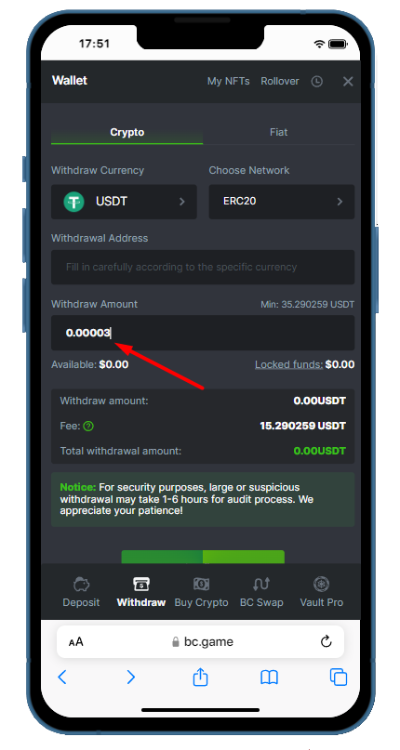
After picking your preferred withdrawal method, the next step is to specify the exact amount you want to take out from your BC Game account balance.
On the withdrawals page under the selected mechanism, you will see an input field asking “Enter Amount” with currency selection option alongside usually.
Here you have to manually input the major currency withdrawal amount you require like BTC, ETH, EUR, USD, CAD etc. Ensure the currency type entered here matches the mode chosen in Step 2.
This step is also where many users solve a BC Game withdrawal problem by correcting a mismatched currency or entering a wallet address that does not match the chosen network.
Step 4: Confirm and Submit the Request
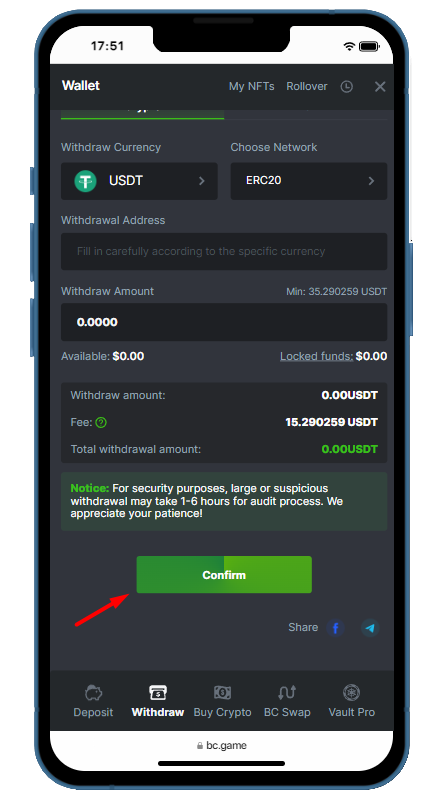
Once you have entered the exact withdrawal amount in Step 3, the next step is to verify all details and submit the request to BC Game for processing.
Review the summary carefully: method, amount, currency, and destination details. Accept any on screen terms shown for that payment rail, then confirm the request.
For security, you may be prompted for two factor confirmation, and some accounts will receive a BC Game withdrawal verification code before the request is finalized. Once confirmed, the withdrawal moves into processing and you can track it in your cashier history.
If everything looks correct, click on the “Confirm” button prominently shown on the page to confirm and send the withdrawal request to BC Game.
If you ever wonder how to withdraw from BC Game again, repeat the same four steps and treat the review screen as your final checkpoint before submission.
BC Game Withdrawal Requirements
Withdrawals are designed to be simple, but they still follow strict account and payment rules. These BC Game withdrawal rules exist to protect account security, comply with payment standards, and keep payouts consistent.

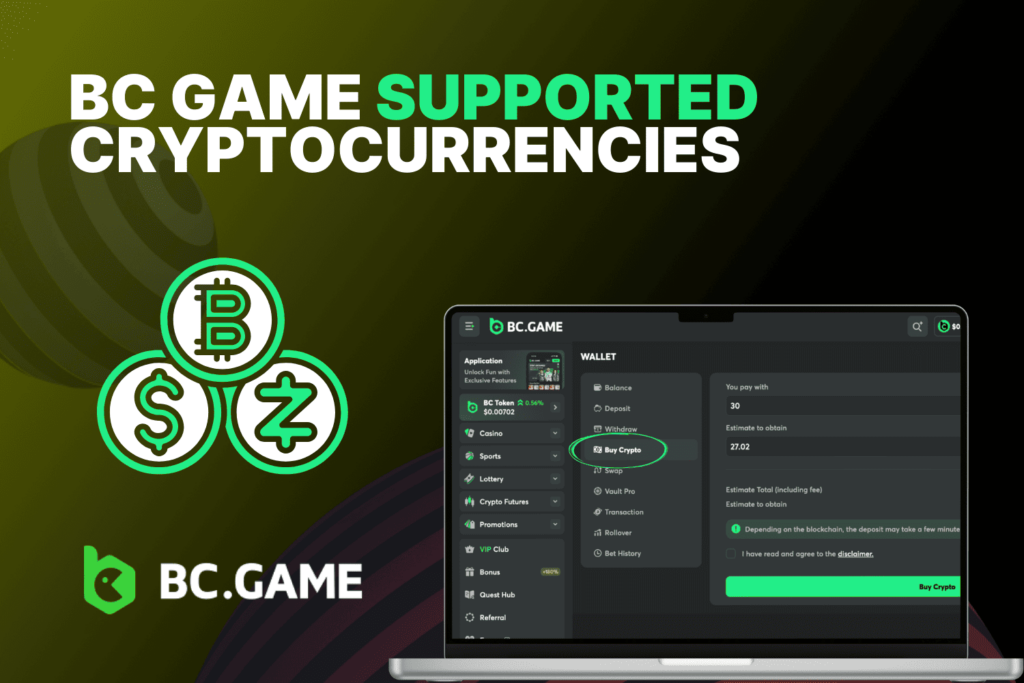
Supported Currencies and Cryptocurrencies
We support both fiat currencies and a broad set of cryptocurrencies, with availability tied to region and method. In the cashier, you will typically see:
Fiat currencies:
- Major options such as EUR and USD in supported regions
- Additional local currencies depending on your country and payment rails
- Fiat payouts can be available through bank, card, or e-wallet methods
Cryptocurrencies:
- Top networks such as BTC and ETH
- Additional coins and networks listed directly in the cashier
- Network selection matters, so always match the wallet network to the coin and chain you choose
For a clean BC.Game withdrawal process, the key is consistency: pick a currency that matches your chosen rail, and use a destination wallet or account that supports that currency. If your cashout is crypto, confirm the network, the address format, and whether your wallet requires tags or memos for deposits.
Account Verification and KYC Rules
Identity checks are part of our withdrawal system. KYC is required before the first withdrawal, and you need to complete verification to unlock full cashout functionality.
If your account is flagged for additional checks, you may be asked to reconfirm details or provide updated documents, and a BC Game withdrawal verification code can be part of the confirmation flow for sensitive actions.
To avoid delays, keep your profile data consistent, use payment details that match your ownership, and complete verification as soon as it is requested.
Clear verification removes the most common blockers in bc.game withdrawal processing and helps keep your withdrawal history clean.
Minimum and Maximum Withdrawal Limits
Limits depend on the method and currency, but the baseline crypto floor is straightforward. The minimum withdrawal on BC Game for major cryptocurrencies is set at the equivalent of 20 USDT, and the same standard is reflected as the BC Game minimum withdrawal guideline for common crypto payouts.
On the upper end, there is no single public cap that applies to every account as one universal number. What matters in practice is the method specific ceiling shown in your cashier and your account status. In this section, treat BC Game maximum withdrawal as the maximum amount your selected payment rail allows at the moment of request, and BC Game maximum withdrawal will be enforced exactly as displayed on your withdrawal screen.
If you are planning large cashouts, your best strategy is to check the cashier limits first, then split requests if needed to fit inside the visible cap. This is also how players stay compliant with the BC Game withdrawal limit while keeping the cashout schedule smooth.
BC Game Withdrawal Time
Withdrawal speed is the second most important question after approval. Your bc.game withdrawal time depends mainly on the rail you pick and the checks needed for the request.
How Long Do Withdrawals Take
- Cryptocurrency withdrawals: often processed quickly once approved, then finalized after network confirmations.
- E-wallet withdrawals: typically faster than banks, depending on provider handling.
- Bank transfers and cards: usually take longer, often measured in business days rather than minutes.
If you want the shortest path in most cases, crypto is the practical choice. If you want fiat on a bank balance, expect a slower lane and plan around banking schedules.
Factors That Can Affect Processing Speed
Even when you follow how to withdraw on BC Game perfectly, these factors can change timing:
- First withdrawal verification: KYC completion is required before the first payout, and this step can add time if documents are missing or unclear.
- Security confirmation steps: two factor prompts and confirmation checks can delay approval if not completed immediately.
- Network congestion: crypto payouts depend on the blockchain, so heavy traffic can slow confirmations.
- Banking cutoffs and weekends: bank rails may not move on non business days, and some regions have strict processing windows.
- Incorrect destination details: wrong wallet network, incorrect bank info, or missing required fields can trigger a review and create a BC Game withdrawal problem.
Speed is easiest to control when you remove preventable issues. Keep verification done, confirm destination details, and submit requests when your chosen rail is actively processing.
Fees and Charges for BC Game Withdrawals
Fees are simple when you separate platform charges from external costs.
The standard BC Game withdrawal fee for crypto cashouts is 0.1%. For VIP Platinum level 38 and above, the BC Game withdrawal fee can be 0% on crypto withdrawals. External blockchain network costs are separate and depend on the chain you choose.
For BC Game fiat withdrawal, fees are method dependent and can vary based on banks, card issuers, or payment providers. A BC Game fiat withdrawal can also carry intermediary charges outside the platform, such as bank handling fees, currency conversion spreads, or provider service fees.
If you want to minimize total cost, choose a method with fewer intermediaries and avoid unnecessary currency conversions.
Yes, withdrawals are built around standard payment workflows, security confirmation, and account checks that protect the player and the platform. If you follow the cashier rules and submit correct details, the process is stable and repeatable.
No, the first withdrawal requires KYC completion. Verification is the gate that unlocks cashouts and reduces the chance of holds or reversals later.
Start by checking your withdrawal history for status updates and verify that the destination details are correct. If it is crypto, confirm the transaction on chain once it is issued; if it is fiat, allow for banking timelines and business day delays before escalating.
Withdrawal availability and rails depend on your jurisdiction, and some regions have restricted access to certain methods. Check the official list on BC Game Countries to confirm what applies to your location.
Use our support channels inside the site, typically live chat or the help center ticket flow, and include your withdrawal ID, method, currency, and timestamp. Clear details help support resolve a request faster, especially when a security check or a missing confirmation is involved.