

BC Game Login in Nigeria
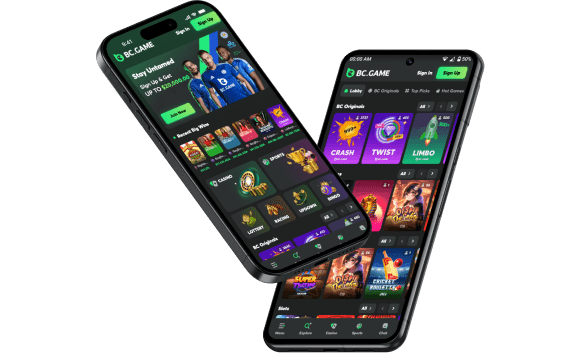
Welcome to the definitive guide on mastering the BC Game login process within the Nigerian digital landscape. As the intersection of online gaming and decentralized finance continues to gain massive momentum across West Africa, platforms like BC.Game have emerged as a premier destination for enthusiasts seeking a blend of high-speed transactions, transparency, and an expansive entertainment library.
Navigating the world of crypto-casinos can feel overwhelming, but for Nigerian players, the process is designed to be as intuitive as possible. Whether you are a “whale” in the crypto space or a casual player looking to place a few bets on the NPFL or European leagues, establishing a secure connection to your account is the bedrock of your experience. This article is meticulously crafted for the Nigerian community, offering specific localized insights, addressing regional network nuances, and providing a comprehensive breakdown of how to handle your BC.Game login with the highest level of security.

About BC.Game
BC.Game is not just another betting site; it is a community-centric, globally acclaimed crypto-gaming ecosystem. Since its launch, it has set a new industry standard by pioneering “Provably Fair” gaming protocols—allowing users to verify the randomness of every roll or spin. For the Nigerian player, BC.Game offers a sophisticated, modern alternative to legacy betting shops. It merges the excitement of over 8,000 slots and live dealer tables with the robust security of blockchain technology, all while ensuring the interface remains fluid on everything from high-end gaming rigs to the affordable Android devices common throughout Lagos, Abuja, and Port Harcourt.
What Nigerian Players Should Know Before Loggin In to BC Game
Before you initiate your BC Game sign in, it is vital to understand the regulatory environment and the specific platform policies that ensure a fair gaming ecosystem. Staying informed protects your capital and ensures your journey is free from avoidable technical or legal hurdles.
- Strict Age Verification: In strict adherence to the National Lottery Regulatory Commission (NLRC) guidelines and international standards, you must be 18 years or older. BC.Game takes responsible gambling seriously; during the BC Game log in or withdrawal phase, you may be asked to provide a valid NIN, Voter’s Card, or International Passport to verify your identity.
- Adherence to Terms of Service: Every time you perform a BC.Game sign in, you reaffirm your agreement to the platform’s rules. One of the most critical rules for Nigerian users is the “Single Account Policy.” Attempting to create multiple accounts to farm bonuses is a violation that results in immediate account suspension and forfeiture of funds.
- Local Legitimacy and Licensing: Unlike many offshore sites, BC.Game has made significant efforts to localize. Operating via BlockDance Africa Limited, the platform is a legally recognized entity in Nigeria. This provides players with an extra layer of consumer protection that unverified platforms simply cannot offer.
- Financial Flexibility (NGN & Crypto): While the platform’s DNA is rooted in cryptocurrency, it recognizes the unique needs of the Nigerian market. Players can seamlessly toggle between various cryptocurrencies and the Nigerian Naira (NGN). This flexibility makes the login BC Game experience highly practical, allowing you to use local bank transfers or OPay/PalmPay alongside Bitcoin and Ethereum.
BC.Game NG: Login Methods
The architecture of the platform is built on the principle of “user choice.” Nigerian players have diverse technological preferences, and the BC Game login system reflects this by offering several secure pathways into your account.
| Method | Best For… | Technical Detail |
| Email & Password | Traditionalists | Uses your primary email. Ensure your email provider has 2FA enabled for maximum safety. |
| Phone Number | Mobile-First Users | Uses your +234 mobile number. You can log in via a permanent password or a one-time verification code. |
| Social Media Integration | Speed & Convenience | One-tap access via Google, Telegram, or WhatsApp. This links your social ID to your BCGame login profile. |
| Web3 / Wallet Connect | Privacy & Crypto Pros | Connect directly via MetaMask, Trust Wallet, or Phantom. This method bypasses traditional passwords entirely. |
How to Log In to BC.Game From Nigeria
For those using a desktop computer at home or a laptop in a more stable environment, the BC Game login process is streamlined for efficiency. Follow this detailed walkthrough to ensure you are accessing the legitimate platform:
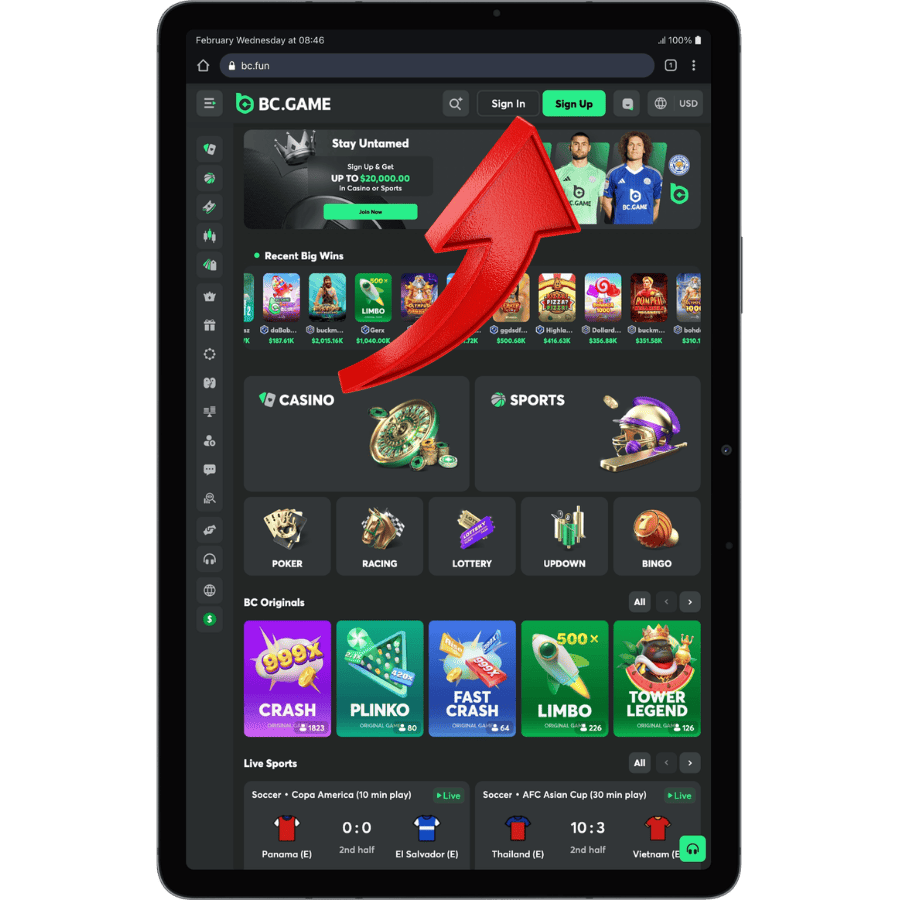
Open your browser (Google Chrome is highly optimized for this platform). Type the official URL directly into the address bar to avoid “look-alike” phishing sites. Look for the padlock icon next to the URL to confirm a secure connection.
On the homepage, look for the “Sign In” button, usually highlighted in a vibrant green or white in the top-right header.
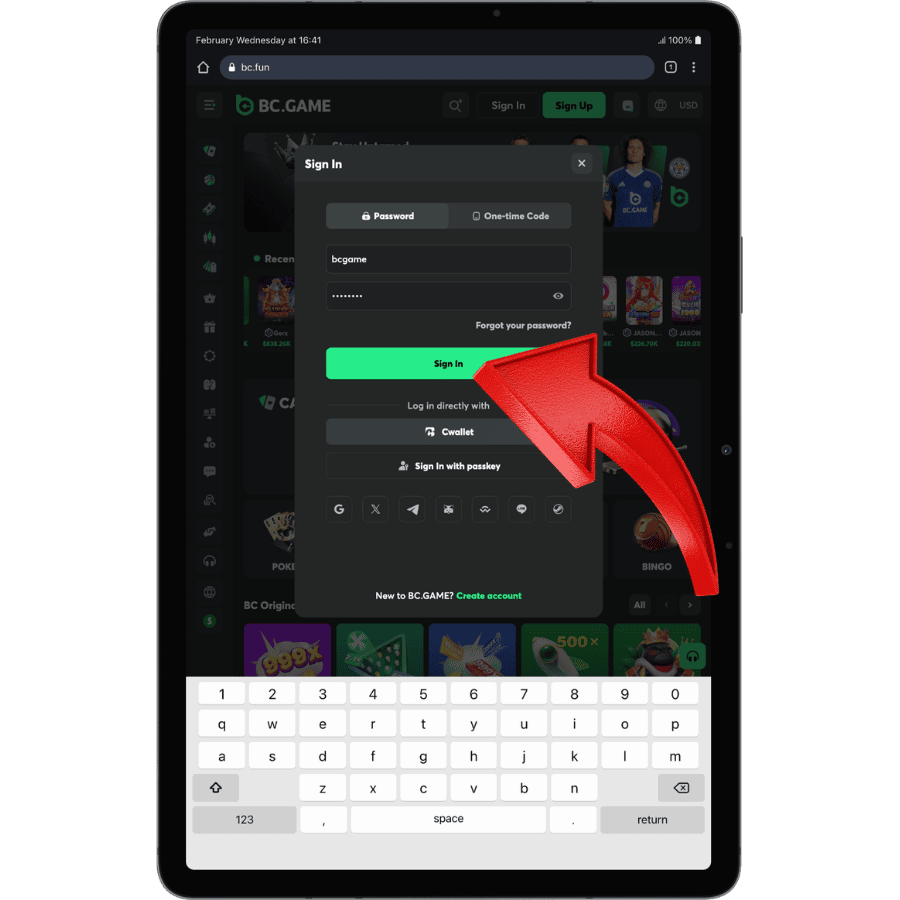
Choose your preferred tab (Email, Phone, or Social). Carefully type your details. Note that passwords are case-sensitive—a common reason for a BC.Game sign in failure.
After entering your details and passing security checks, click “Sign In” to access your account. You can then manage your profile, make deposits, place bets, or withdraw winnings.
Pro Tip for Tablet Users: If you are using a Samsung Galaxy Tab or an iPad, the site operates in “Responsive Mode.” The interface is touch-optimized, but the BC Game sign in buttons remain in the same intuitive locations. Always use a private browser tab if you are on a device that doesn’t belong to you.
How to Access BC Game Through the App
Mobile optimization is where BC.Game truly shines in the Nigerian market. Given the occasional instability of power and landline internet, the BC Game app login is designed to be lightweight and resilient, even on 3G or 4G connections.
Comprehensive Mobile App Login Guide:
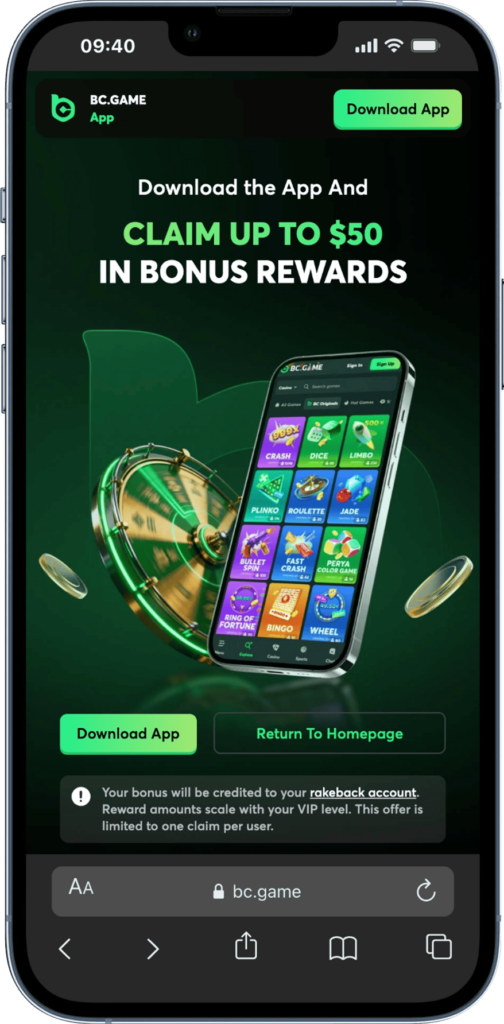
Click the Download App button shown on the main banner to start the installation. This version is optimized to save mobile data while providing full access to all gaming features.
Open the downloaded file on your smartphone to install the application. Locate the new icon on your home screen and tap it to start your gaming session.
Once the app is open you will see the initial welcome screen. Tap the Sign In button to open the login overlay and access your existing account.
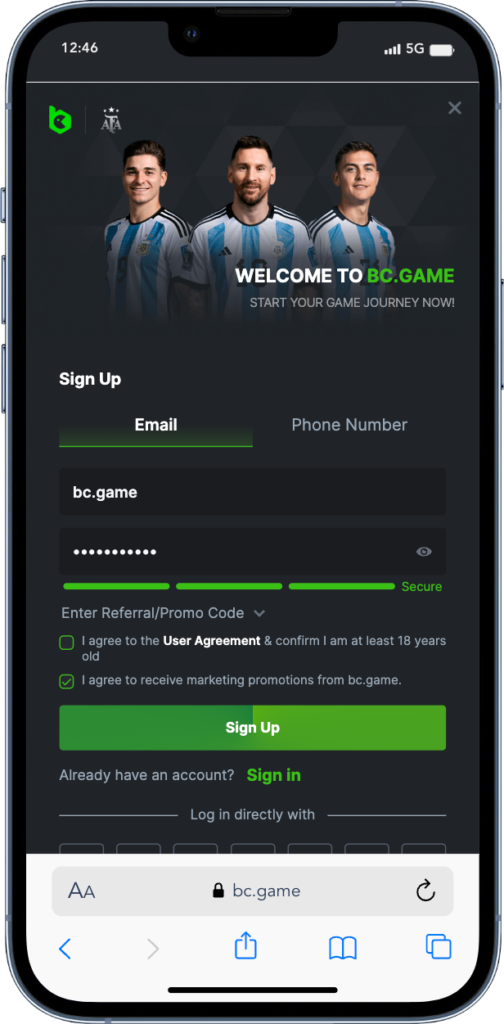
Choose between Email or Phone Number tabs and enter your registered details. Make sure to type your secure password correctly to avoid authentication errors.
Use the Remember Me checkbox if you are on a personal mobile device. This allows you to stay logged in for faster access to sports betting and casino games.
Link your account to Fingerprint or FaceID for maximum security. This method provides the fastest way to verify your identity without typing a password every time.
BC Game Login Security
In the digital age, security isn’t just a feature it’s a necessity. BC.Game employs “Bank-Grade” security protocols to ensure that when you perform a BC.Game login, your assets and data are shielded from malicious actors.
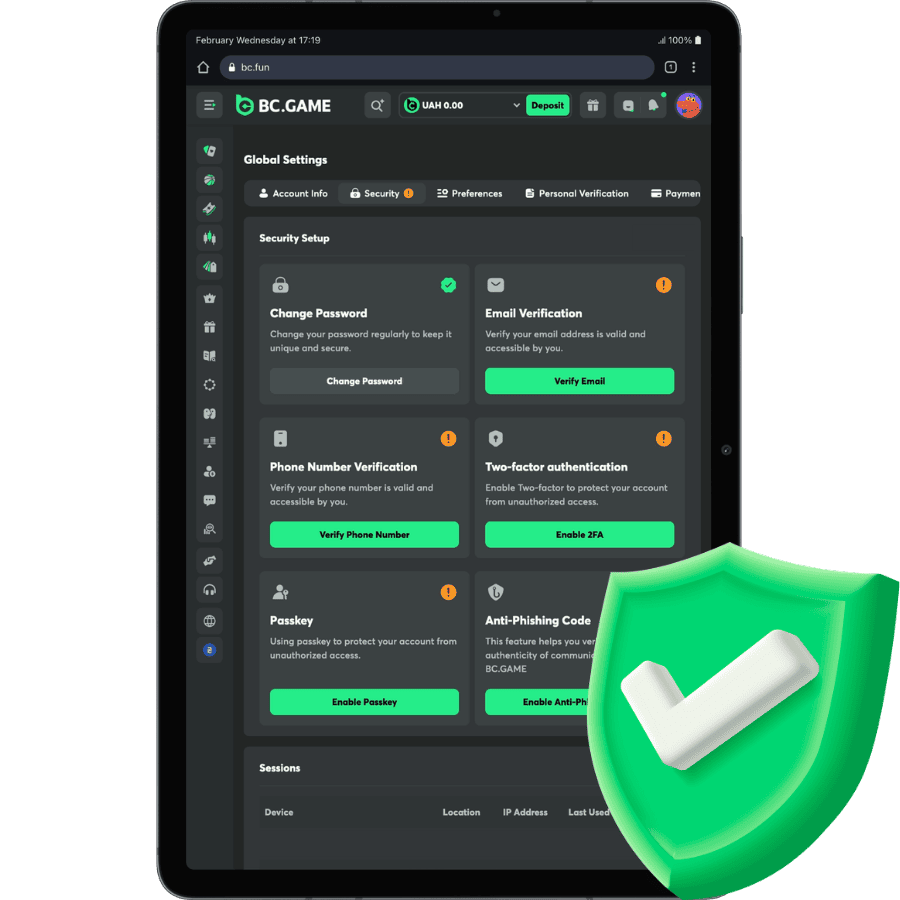
- Two-Factor Authentication (2FA): This is your primary defense. By using an app-based authenticator, you ensure that even if a hacker steals your password, they cannot bypass the BC Game sign in without your physical phone.
- End-to-End SSL Encryption: Every bit of data, from your password to your betting history, is encrypted. This prevents “man-in-the-middle” attacks, which are common on public Wi-Fi networks in hotels or airports.
- Global Logout & Session Management: Within your account settings, you can see a list of every active login to BC Game. If you suspect you left your account open on a friend’s laptop, you can click “Log out from all devices” to immediately secure your profile.
- Withdrawal Whitelisting: For advanced users, you can set your account to only allow withdrawals to specific, verified crypto addresses, adding an extra hurdle for any intruder.
Tips to Keep Your BC Game Account Secure
Maintaining a secure account is a partnership between the platform and the user. Here is how you can play your part in protecting your BC Game Nigeria login:
- Beware of “Look-alike” Pages: Scammers often create fake websites that look identical to the BC.Game interface. Always check that the URL is correct before entering any sensitive information. Never click BC Game login links sent via unsolicited SMS or WhatsApp messages.
- The Danger of Cybercafés: Nigeria has a vibrant cybercafé culture, but these are high-risk zones. Keyloggers (software that records what you type) can be installed on public PCs. If you must log in, use the “on-screen keyboard” and always log out.
- Update Your Software: Whether you use the browser or the app, ensure you are running the latest version. Updates often contain critical security patches that protect against new types of “BC Game login problems.”
- Password Hygiene: Avoid using “Nigeria123” or your name as a password. Use a combination of symbols, numbers, and mixed-case letters.
BC Game Login Problem in Nigeria
Technical glitches can be frustrating, especially when a big match is about to start. If you encounter a BC Game login problem, don’t panic. Most issues are related to local infrastructure rather than the platform itself.
- ISP Throttling or Blocking: Sometimes, local internet service providers (ISPs) have technical DNS issues that make the site appear “down.” If you can’t reach the BC Game login page, try using a different DNS (like Google’s 8.8.8.8) or switch from your home Wi-Fi to your mobile data.
- The “Error 4001” or Authentication Failure: This is almost always due to a typo. Nigerian keyboards can sometimes have “Autocorrect” enabled, which might capitalize the first letter of your password without you noticing.
- Account Locking: If you fail the BC Game log in five times in a row, the system will temporarily lock your IP address to prevent a “Brute Force” attack. Wait for the timer to expire (usually 15-30 minutes) before trying again.
Verification Loops: If the CAPTCHA keeps refreshing, it usually means your internet connection is too slow or unstable to “handshake” with the security server. Move to an area with better reception.
Absolutely. BC.Game is a fully compliant operator within the Nigerian borders. Its operations are overseen by the National Lottery Regulatory Commission (NLRC). This means the platform adheres to Nigerian standards of fair play and financial transparency, giving you peace of mind during every BC Game Nigeria login.
Beyond simple typos, this BC Game login problem could be due to your browser’s “Cookies.” If the cookies are corrupted, the site might fail to recognize your session. Try opening a “New Incognito Window” and logging in there; if it works, you simply need to clear your main browser cache.
Yes, you can. The platform supports multi-device sessions. You can have your BC Game app login active on your smartphone for quick bets while analyzing statistics on your desktop. Just ensure all devices are on a secure network.
Certain institutional networks—such as those in banks, government offices, or some universities—implement “Web Filtering” to block all entertainment and gambling-related content. This is a local network policy and not a reflection of the platform’s status. To resolve this BC Game login problem in Nigeria, simply disconnect from the restricted Wi-Fi and use your personal data plan.
While BC.Game is accessible and legal in Nigeria without a VPN, some players prefer using one for an added layer of privacy. The platform is VPN-friendly, but you must ensure your VPN server is set to a country where BC.Game is not restricted (like Brazil or Japan). Be aware that frequent “country-hopping” during your BC Game Nigeria login might trigger a temporary security verification.


















Your review has been sent for moderation